Power Efficiency
Unrivaled System-level Power Reduction
Through careful selection of silicon process and power-conscious architecture design, AMD devices deliver power efficiency across all product portfolios, including adaptive SoC platform devices, Spartan™ 6 FPGAs, 7 series FPGAs, UltraScale™ FPGAs, UltraScale+™ FPGAs, and adaptive SoCs. With each generation, AMD broadens its power-reduction capabilities, ranging from process enhancements, architectural innovations, aggressive voltage scaling, and advanced software optimization strategies. More details on portfolio-specific capabilities, silicon process advantages, and benchmark comparisons are shown below. Power estimation, thermal models, full software support, and demonstration boards are publicly available for all families. Designing power for AMD devices is easier than ever before with comprehensive documentation, built and tested power reference designs, and powerful tools to unlock the potential of your next design to get the most out of your adaptive SoC, SoC, or FPGA.
Versal Adaptive SoC
The Versal™ adaptive SoC is the next-generation, heterogeneous compute device built on TSMC’s 7nm HK-MG FinFET process, taking the next leap in low-power and high-performance technology through architectural innovation and power-optimized blocks. The Versal AI Engine architecture delivers up to 40% power savings for compute-intensive
- Hardened block RAM, UltraRAM, and DSP blocks improve device efficiency
- More efficient DSP blocks for enhanced complex and floating-point math operations
- Unused block RAMs support power gating to avoid power leakage
- UltraRAM initialization and width configurability reduce the need for external RAM/ROM
The combination of Versal adaptive SoC hardened and programmable blocks allows designers to maximize performance per watt by including previous generation power-saving techniques, as well as improved power management, new voltage and frequency scaling, and integrated system monitoring for board-level, intelligent power management.
UltraScale+ FPGAs
Built on TSMC’s 16nm FinFET+ high-performance, low-power semiconductor process, the UltraScale+ device families deliver up to 60% overall device-level power savings over 7 series FPGAs and SoCs. Architectural enhancements include:
- Hardware-based clock gating
- Hardened block RAM cascading
- DSP block efficiencies
- Power-optimized transceivers
Through architectural innovation and dual-voltage operation of the primary core fabric, UltraScale+ families more than double the performance per watt capabilities of 7 series families by realizing power reductions while improving overall performance.
UltraScale+ FPGA power savings
| 7 Series (28nm) VNOM |
UltraScale (20nm) VNOM |
UltraScale+ (16nm) VNOM |
UltraScale+ (16nm) VLOW |
|
|---|---|---|---|---|
| Operating Voltage (VCCINT) | 1V | 0.95V | 0.85V | 0.72V |
| Normalized Facric Performance | 1.0x | 1.2x | 1.6x | 1.2x |
| Normalized Total Power | 1.0x | 0.7x | 0.8x | 0.5x |
| Performance/Watt | 1.0x | 1.7x | 2x | 2.4x |
Zynq UltraScale+ MPSoCs
In addition to all the power reducing capabilities of UltraScale+ FPGA logic, Zynq™ UltraScale+ MPSoCs utilize multiple power islands and domains within the processing system for coarse-grain and fine-grain dynamic power gating to continually adjust power consumption to performance demands—lowering overall device power.
UltraScale FPGAs
Built on TSMC’s low-power 20nm semiconductor process coupled with significant static and power gating, UltraScale FPGA families deliver up to 40% overall device-level power savings compared to 7 series FPGAs. Architectural enhancements shared with UltraScale+ devices include:
- Hardware-based clock gating
- Hardened block RAM cascading
- DSP block efficiencies
- Power-optimized transceivers
UltraScale power savings
| 7 Series (28nm) VNOM |
UltraScale (20nm) VNOM |
UltraScale+ (16nm) VNOM |
UltraScale+ (16nm) VLOW |
|
|---|---|---|---|---|
| Operating Voltage (VCCINT) | 1V | 0.95V | 0.85V | 0.72V |
| Normalized Facric Performance | 1.0x | 1.2x | 1.6x | 1.2x |
| Normalized Total Power | 1.0x | 0.7x | 0.8x | 0.5x |
| Performance/Watt | 1.0x | 1.7x | 2x | 2.4x |
7 Series FPGAs & Zynq 7000 SoCs
As the only 28nm FPGAs and SoCs fabricated on a high-performance, low-power process (28HPL), 7 series devices and Zynq 7000 SoCs offer up to 50% total power reduction over previous generation families and superior performance per watt compared to competing 28nm solutions. Architectural and block-level innovations include:
- Dynamic Function eXchange (DFX) for static power savings
- Multi-mode I/O control
- Intelligent clock gating
- Power binning and voltage scaling
View competitive benchmark summaries as well as detailed benchmark process.
Optimized Power Delivery Solutions
Power management requirements are diverse and often unique to a specific use case. As a result, no single power management design can provide the optimal solution. AMD partners with industry-leading power management companies (listed below) to provide a variety of reference designs that map to common use cases, as well as overall guidance on the power supply requirements of AMD products.
Hardware Verified Power Solutions
Hardware verified power reference designs are designed to meet all AMD power specifications for a targeted device or device family. Hardware verified reference designs ensure that a power solution has been specifically built and tested to meet AMD voltage, current, and sequencing specifications. Performance data and design files are made available by the power vendor to boost your design process.
Non-Hardware Verified Solutions
Non-hardware verified solutions are designed to meet all AMD power specifications and will meet the requirements of a targeted device or device family. Though not hardware verified, they are guaranteed by datasheet specifications.
Hardware Verified Reference Designs
| Vendor | Reference Design | Adaptive SoC Series | Power Rail Groupings |
|---|---|---|---|
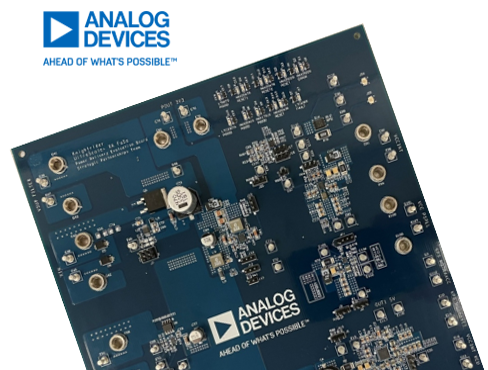
| Analog Devices, Inc | Versal Power Reference Design | AI Core, Prime, AI Edge | Minimum Rails |
| MAXREFDES1238 | |||
| Andapt | Programmable Power Delivery for Low Current Versal Premium | Premium | Minimum Rails |
| Programmable Power Delivery for Low Current Versal Premium | |||
| Monolithic Power Systems | Efficiency Optimized EVREF105A | AI Core, Prime, AI Edge | Minimum Rails |
| Size Optimized EVXLVA_02-A | |||
| Infineon | EV-121-D | AI Core, Prime, AI Edge | Minimum Rails |
| Renesas | VERSALDEMOZ1 | AI Core, Prime, AI Edge | Minimum Rails |
| ISLVERSALDEMO2Z | Space Grade AI Core, AI Edge | Full Power Management | |
| Texas Instruments | PMP22165 | AI Core, Prime, AI Edge | Minimum Rails |
| Versal XQR Space Grade ADM-VA600 | Space Grade AI Core, AI Edge | ||
| PMP23227 Automotive Power Delivery Solution | AI Core, Prime, AI Edge | Minimum Rails |
Non-Hardware Verified Reference Designs
| Vendor | Reference Design | Adaptive SoC Series | Power Rail Groupings |
|---|---|---|---|
| Analog Devices, Inc | Multiphase, PoL Design with PS Overdrive | Premium | Minimum Rails |
| Highly Integrated & Optimized Power Delivery Solution | Full Power Management | ||
| High Efficiency & Power Management Enabled Power Delivery | HBM | Full Power Management | |
| Andapt | Programmable Power Delivery for Low Current Versal Premium | Premium | Minimum Rails |
| Programmable Power Delivery for Low Current Versal Premium | |||
| Monolithic Power Systems | Size And Efficiency Optimized Designs | Premium | Minimum Rails, Full Power Management |
| Size Optimized Power Delivery For AI Edge (Commercial) | AI Edge | Minimum Rails, Full Power Management | |
| Efficiency Optimized Power Delivery For AI Edge (Automotive) | |||
| Size Optimized Power Delivery For AI Edge (Automotive) | |||
| Efficiency Optimized Power Delivery for Versal HBM | HBM | Minimum Rails, Full Power Management | |
| Size Optimized Power Delivery for Versal HBM |
Hardware Verified Reference Designs
| Vendor | Reference Design | Device Family | Target Device(s) |
|---|---|---|---|
| Infineon | AMD ZCU111 Eval Board | RFSoC Gen 1 | ZU21 -ZU29 |
| Monolithic Power Systems | EVREF0102A - RFSoC Analog Power Module Board |
RFSoC Gen 1 | ZU21 - ZU29 |
| EVREF0106 – Ultra Low Noise Power Module Verified for RFSoC Analog Rails | All RFSoC | All RFSoC | |
| Intersil-Renesas | ISL8024DEMO2Z - RFSoC Analog Power Module Board | RFSoC Gen 1 | ZU21 - ZU29 |
Non-Hardware Verified Reference Designs
| Vendor | Reference Design | Device Family |
Target Device(s) |
|---|---|---|---|
| Monolithic Power Systems | Size Optimized Solution using Power Modules |
RFSoC Gen 1 | ZU21 - ZU29 |
| Highly Integrated Solution with Internal Sequencing | RFSoC Gen 1 | ZU21 - ZU29 | |
| Size Optimized Modular Power Solution | RFSoC Gen 2, RFSoC Gen 3 | ZU39 - ZU49 | |
| Efficiency Optimized Discrete Power Solution | RFSoC Gen 2, RFSoC Gen 3 | ZU39 - ZU49 | |
| Modular Power Solution with PMBus | RFSoC Gen 2, RFSoC Gen 3 | ZU39 - ZU49 |
Hardware Verified Reference Designs
Note 1: For more information on Zynq UltraScale+ device use-cases, please see the Power Supply Consolidation Solutions for Zynq UltraScale+ MPSoCs section of UG583.
Non-Hardware Verified Reference Designs
| Vendor | Reference Design | Target Device(s) | Power Rail Groupings |
|---|---|---|---|
| Monolithic Power Systems | Cost & Size Optimized Power Delivery | ZU1 - ZU3 | Minimum Rails & Full Power Management |
| Vendor | Reference Design | Product Family |
Target Device(s) |
|---|---|---|---|
| TDK | Area Optimized Power Module Solution | Artix UltraScale+ | All AU+ |
| Andapt | Low-power PMIC Solutions for Artix US+ | Artix UltraScale+ | All AU+ |
Non-Hardware Verified Reference Designs
| Vendor | Reference Design | Product Family | Target Device(s) |
|---|---|---|---|
| Monolithic Power Systems | Cost & Size Optimized Power Delivery | Artix UltraScale+ | All AU+ |
| Zynq UltraScale+ Cost Optimized Reference Design | Zynq Ultrascale+ | ZU1/2/3 | |
| Analog Devices | Low Cost, Minimum Rails Solution | Artix UltraScale+ | All AU+ |
| Empower Semi | High Performance and Flexible Solutions for FPGAs, ASICs and SoCs | Artix UltraScale+ | All AU+ |
Hardware Verified Reference Designs
| Vendor | Reference Design | Product Family | Target Device(s) |
|---|---|---|---|
| Intersil/Renesas | AMD VCU128 Eval Board | Virtex UltraScale+ | VU37P/VU19P1 |
| Monolithic Power Systems | Area optimized module based solution for Kintex UltraScale+ | Kintex UltraScale+ | All KU+ |
| High Power Density Discrete Solution | Virtex UltraScale+ | VU19P-VU57P | |
| Fully Integrated Solution Using Modules | Virtex UltraScale+ | VU19P-VU57P | |
| Cyntec | Virtex UltraScale+ | VU37P |
|
| Texas Instruments | PMP10555 Power Solution for Mobile Radio Basestation with PMBus | Virtex/Kintex UltraScale+ | All KU+, VU3P-VU13P |
| Andapt | Programmable PMICs for Minimum Rails Solutions | Kintex UltraScale+ | KU3P-KU15P |
| Programmable PMICs for Minimum Rails Solutions | Virtex UltraScale+ | VU3P, VU5P, VU7P | |
| Programmable PMICs for Full Power Management | Virtex UltraScale+ | VU31P, VU33P, VU35P |
Non-Hardware Verified Reference Designs
| Vendor | Reference Design | Product Family | Target Device(s) |
|---|---|---|---|
| Monolithic Power Systems | Efficiency Optimized Power Delivery Solution | Virtex UltraScale+ | VU3P-VU13P, VU31P-VU37P |
| Size Optimized Power Delivery Solution | Virtex UltraScale+ | VU3P-VU13P, VU31P-VU37P | |
| Size or Efficiency Optimized Power Delivery Solution | Virtex UltraScale+ | VU19P, VU27P/29P, VU47P/49P, VU57P | |
| Integrated Sequencing Power Delivery Solution | Kintex UltraScale+ | KU3P-KU15P | |
| Size Optimized Power Delivery Solution | Kintex UltraScale+ | KU3P-KU15P |
Hardware Verified Reference Designs
| Vendor | Reference Design | Product Family | Target Device(s) |
|---|---|---|---|
| Infineon | Avnet Kintex UltraScale Development Board | KU040 | |
| Analog Devices | Virtex UltraScale FPGA Multi 100G Optical Networking Platform | Virtex UltraScale | VU095, VU125, VU160, VU190 |
| Texas Instruments | Low Noise Power Supply for GTH & GTY Serial Transceivers | Kintex UltraScale | KU025-KU115 |
| Virtex UltraScale FPGA Power Solution (with Telemetry Option) | Virtex UltraScale | VU065 - VU440 | |
| Kintex UltraScale FPGA Power Solution (with Telemetry Option) | Kintex UltraScale | KU025-KU115 | |
| Alpha Data, Radiation Hardened Power Solution (Third-Party Board) | Space-Grade Kintex Ultrascale | XQRKU060 | |
| Renesas | Space Grade Power Solution for the AMD XQRKU060 FPGA | Space-Grade Kintex Ultrascale | XQRKU060 |
| Andapt | Programmable PMICs for Kintex Ultrascale | Kintex UltraScale | All KU |
Non-Hardware Verified Reference Designs
| Vendor | Reference Design | Product Family | Target Device(s) |
|---|---|---|---|
| Monolithic Power Systems | Size Optimized Power Module Solution with Scalable VCCINT | Kintex UltraScale | All KU |
| Vendor | Reference Design | Target Device(s) |
|---|---|---|
| Renesas | Cost & Area optimized Zynq 7000S solution on Avnet’s MiniZed board | 7Z007S |
| Scalable, Flexible Power Solutions, Cost and Footprint Optimized for Zynq 7000 | Up to ZC7020 | |
| ISL91211AIK-REFZ | All Zynq 7000 | |
| Texas Instruments | Highly Scalable, Integrated Power Supply Reference Design for Zynq 7000 SoCs | All Zynq 7000 |
| Low Power Zynq 7000 and DDR3 Power Solution | ZC7010, ZC7020 | |
| High Power Zynq 7000 Power Management Solution | ZC7035, ZC7040 | |
| Compact & Integrated PMIC Power Solution for Zynq 7010 | ZC7010 | |
| EXAR | Industrial Ethernet Power Management Reference Design | ZC7020 |
| Monolithic Power Systems | Industrial Ethernet Power Management Reference Design | ZC7020 |
| Zynq 7000 (Cost Optimized) Discrete Solution | All Zynq 7000 | |
| Zynq 7000 (Size Optimized) Module Solution | ||
| NXP | Zynq 7020 ZED board Optimized Management Reference Design | ZC7020 |
| Analog Devices | Zynq 7000 High Speed Networking Solution | ZC7100 |
Hardware Verified Reference Designs
| Vendor | Reference Design | Target Device(s) |
|---|---|---|
| Texas Instruments | Highly Scalable, Integrated Power Supply Reference Design for Artix 7 FPGAs | All Artix 7 |
| Analog Devices, Inc | Artix 7 ARTY Development Board | A35T |
| Artix 7 Basys 3 Eval Board | ||
| Renesas | ISL91211A-BIK-REFZ Reference Board | All Artix 7 |
Non-Hardware Verified Reference Designs
| Vendor | Reference Design | Target Device(s) |
|---|---|---|
| Monolithic Power Systems | Discrete Artix 7 Reference Design | XC7A12T - XC7A200T |
| Modular Artix 7 Reference Design |
Hardware Verified Reference Designs
| Vendor | Reference Design | Target Device(s) |
|---|---|---|
| Monolithic Power Systems | Scalable, Cost and Area Optimized Spartan 7 Solutions | S6 - S100 |
| Discrete Power Solution with Integrated Sequencing | S6 - S100 | |
| Dialog Semiconductor | Scalable, Flexible Power Solutions, Cost and Footprint Optimized for Spartan 7 | S6 - S100 |
| Texas Instruments | Highly Scalable, Integrated Power Supply Reference Design for Spartan 7 FPGAs | All Spartan 7 |
Renesas |
Scalable, Flexible Power Solutions, Cost and Footprint Optimized for Spartan 7 | S6 - S100 |
| ISL91211BIK-REF2Z Reference Board | All Spartan 7 |
|
| Andapt | Hardware Verified Power Management Reference Design | All Spartan 7 |
Non-Hardware Verified Reference Designs
| Vendor | Reference Design | Target Device(s) |
|---|---|---|
| Analog Devices, Inc. | Artix 7 & Spartan 7 PMIC Solution | All Artix 7 & Spartan 7 |
| MPS | Spartan 7 Cost Optimized Discrete Solution | |
| Spartan 7 Size Optimized Module Solution |
Note: All solutions are the responsibility of the specific power vendor. Please check with the appropriate power vendor for additional information and availability.
Upload your XPE or PDM to Vendors Tools
Webinars and Application Notes
Power Delivery Tools
AMD power delivery partners provide intuitive tools to accelerate power designs, time to market, and PDN simulations to ensure a reliable and optimal performance of power delivery. You can upload AMD power files into select vendor tools for a seamless power estimation flow to define your power delivery solution.
| Vendor | Description | Features |
|---|---|---|
| Andapt | WebAmP R.D | FPGA/SoC Power Management Design Tool |
| Flex Power Modules | Flex Power Designer Tool | Power Delivery Design and Simulation Import XPE files |
| ProGrAnalog | LoadSlammer PDN Verification Tool | Evaluation/Verification of Power Delivery Network in Hardware |
| Renesas | PowerCompass Multi-Load Configurator & iSim | CAD, Power Delivery Design and Simulation Import XPE, XML & PWR files |
| Andapt | WebAmP R.D | FPGA/SoC Power Management Design Tool |
Note: All tools are the responsibility of the specific power vendor. Please check with the appropriate power vendor for additional information and instructions on how to use.
Power Delivery Partners
- Analog Devices
- Andapt
- Delta/Cyntec
- Empower
- Flex Power Modules
- Infineon
Featured Power Design
Thermal Design:
Understating the thermal design limits of an application varies greatly between application types and end markets, a lower power design at a high ambient can experience the same thermal challenges as a high power design at a much lower ambient and so understanding what the limits of a system are is critical for both a successful product and a cost effective product, as overdesign a thermal solution incurs extra cost and complexity to a design.
To this end AMD provides DELPHI thermal models for all of current devices, these support both Siemens Flotherm and Ansys IcePak.
*Versal adaptive SoC Models (Coming Soon)
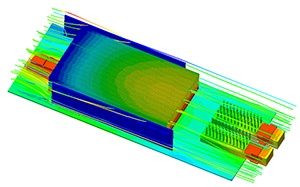
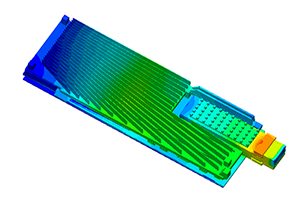
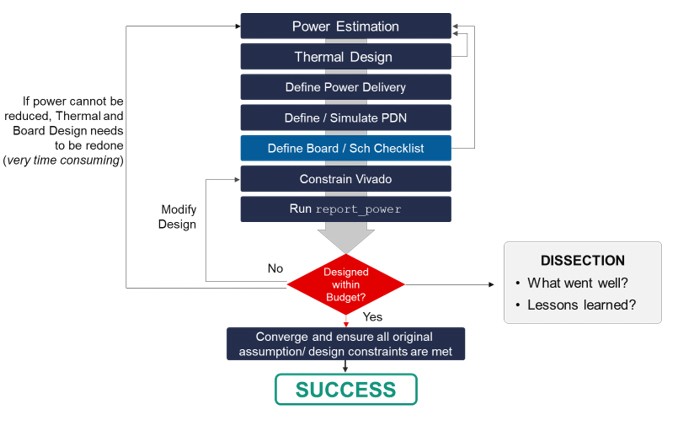
Thermal simulation is a critical step in board design and as indicated in the board methodology process chart, the results of the initial estimation should be used for the thermal solution validation.
Thermal Design Partners
Not all customers have access to either the thermal simulation tools or the resources to run a thermal simulation, through the AMD Alliance program you can access partners that have Thermal design capability.
Package selection
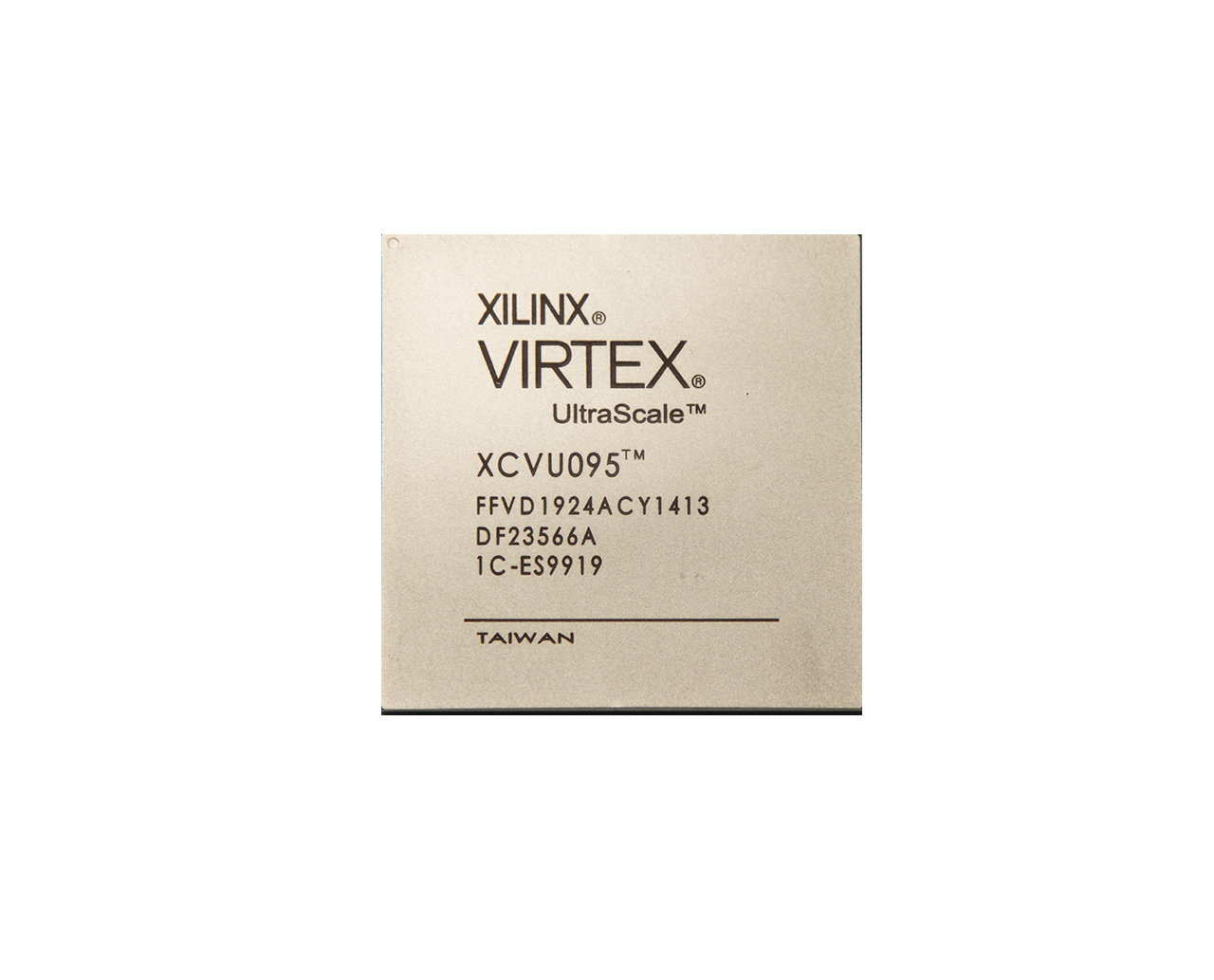
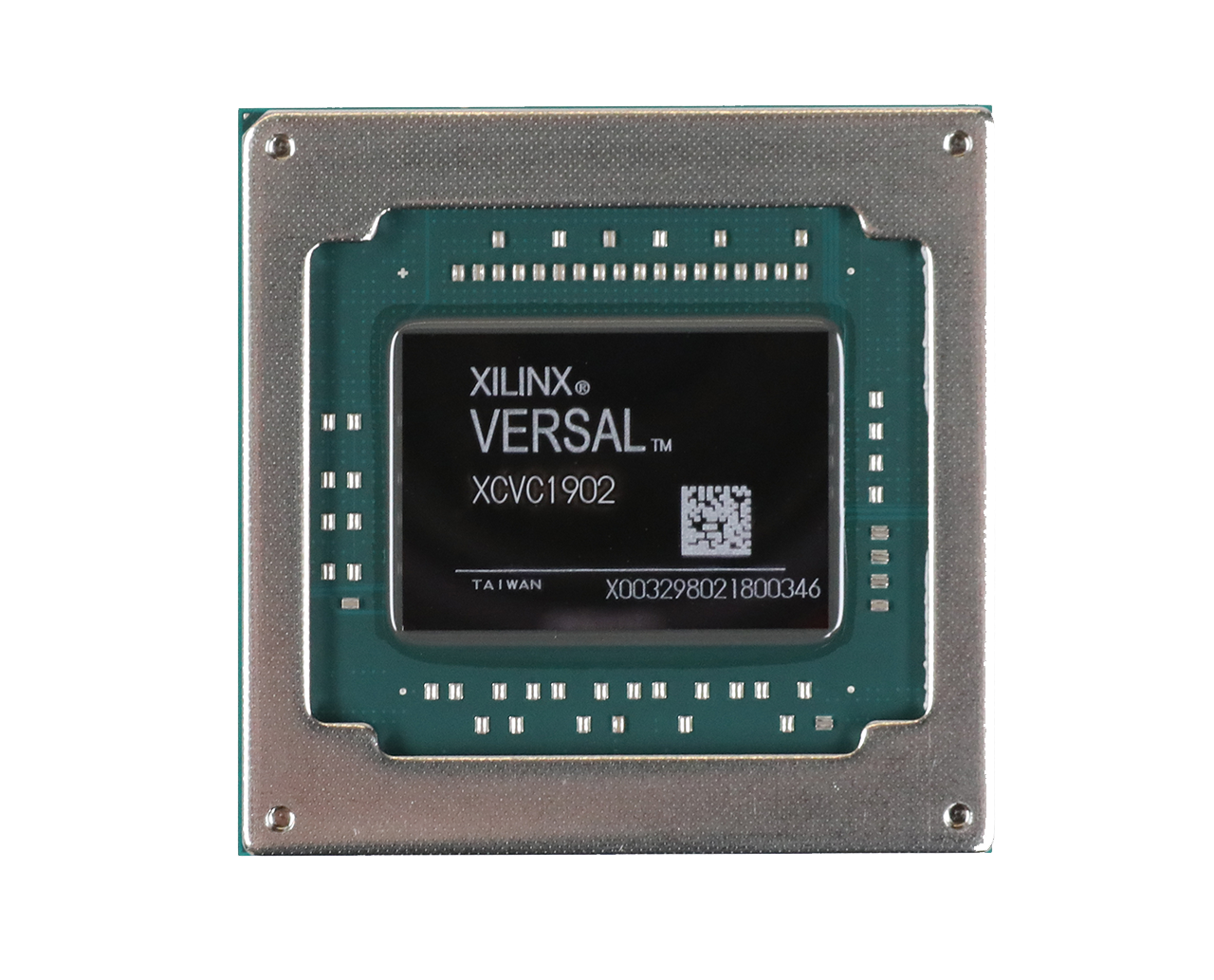
An important part of device selection is selecting the right package for a successful thermal design. AMD devices are available in many package types to cater for different customers requirements, however from a thermal standpoint the Lidless packaging offers the best thermal performance, AMD devices are offered in the following packages:
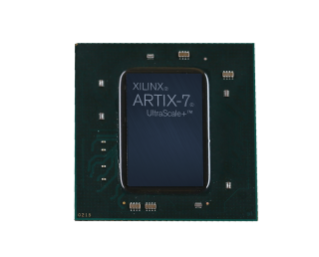
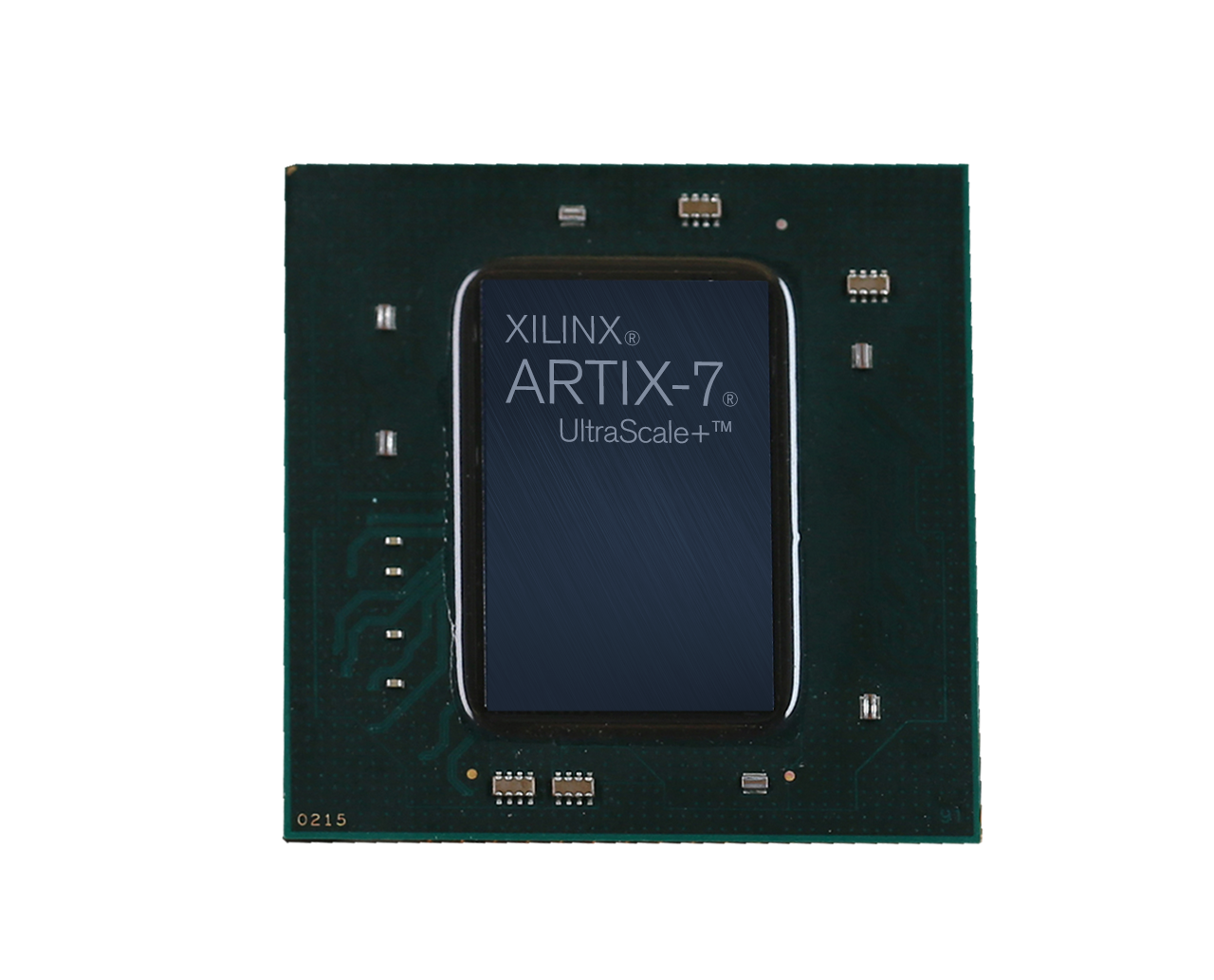
Bare Die – Package Designator (SB/VB)
- "B" indicates Bare Die, S for 0.8mm & V for 0.92mm package pitch
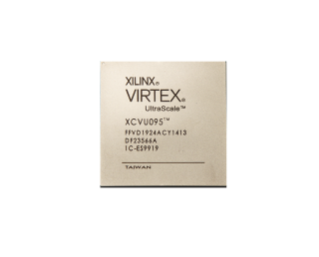
Lidded - (SF/VF)
- "F" For Forged Lid, S for 0.8mm & V for 0.92mm package pitch
Lidless Package (VS/LS)
- "S" indicated the Stiffener Ring, V for 0.92mm & L for 1mm pitch
- Provides optimal Thermal Performance
Lidless Overhang Package (VI)
- "I" indicates a stiffener ring with package overhead (package substrate larger than the BGA footprint)
- "V" indicates 0.92mm package pitch
- Provides optimal Thermal Performance
Documentation
Power Estimation
AMD provides best-in-class tools to estimate pre-implementation power consumption, optimize for lowest power at every design stage, and provide extensive analysis for user-guided optimization. Below are a variety of power-related and AMD industry-leading hardware and software-based tools for designers to get started today.